- Video Production
- Video Production Equipment for Beginners
- What type of camera should I get as a beginner
What Type of Camera Should I Get as a Beginner? (Hint: It’s Not About the Price)
Start with the camera you already own -- your smartphone is perfect for learning composition and lighting.
When you're ready for a dedicated tool, choose an affordable APS-C mirrorless model like a Sony ZV-E10 II or Canon R50.
Prioritize reliable autofocus, a flip-out screen, and a microphone jack over pricey sensor specs.
Key Takeaways - What type of camera should I get as a beginner video creator?
- Start with what you have (or a mirrorless APS-C model): Your "Goldilocks" camera removes friction. For most beginners, this means using a modern smartphone to learn the basics or choosing an entry-level APS-C mirrorless camera like the Sony ZV-E10 II or Canon R50, which balance intuitive use with room to grow.
- Chase features, not specs: Prioritize reliable face-tracking autofocus, a flip-out screen for self-framing, and a 3.5mm microphone jack. These practical tools prevent frustration far more effectively than chasing high megapixel counts or resolution specs on paper.
- Audio is the real differentiator: Viewers forgive soft video but will click away instantly from bad sound. Investing in an external microphone is a significantly better use of your budget than upgrading to a more expensive camera body, as clear audio is the cornerstone of professional perception and viewer retention.
- APS-C is the smart starting point (skip full-frame): For video intended for social feeds and online platforms, the image quality difference between APS-C and full-frame is largely invisible to audiences. Save money on the sensor and body, and redirect that budget toward better lenses and audio gear, which create a more noticeable impact.
- Build a thoughtful "Minimum Viable Kit": Don't drain your budget on the camera body alone. Prioritize a fast memory card (V30 or higher to avoid recording failures) and an external microphone alongside your camera. The most immediate image upgrade you can make later is a fast prime lens, not a new camera.
- Consider used gear for pro-level learning: A higher-tier used camera (like a Sony A6400) often offers superior autofocus and video features compared to a brand-new budget model at the same price point. If you value a warranty and the latest firmware, buy new; if you're comfortable vetting gear, the used market provides exceptional value for your learning journey.
Finding your "Goldilocks" video camera
Your "just right" camera isn't the most expensive one -- it's the one that removes friction.
Look for something intuitive enough not to distract you, yet capable of manual control when you're ready to grow.
For most beginners, that sweet spot is often a modern smartphone or an entry-level mirrorless camera with a kit lens.
Imagine this: you've just finished watching a short film that moved you to tears -- not because it was shot on a $50,000 cinema camera, but because the person behind the lens had something real to say.
Maybe it was a student with a borrowed camera and a dream.
Maybe it was a parent documenting their child's first steps with nothing more than a steady hand and a full heart.
Here's the truth: the most powerful videos ever made weren't powerful because of the gear. They were powerful because of the human behind it.
That said, your starting point still matters -- and that's okay to acknowledge.
Not because the right camera will make you a video creator, but because the wrong one can quietly get in your way before you ever find your voice.
The last thing you need is a tool that confuses you, frustrates you, or makes this whole journey feel harder than it has to be.
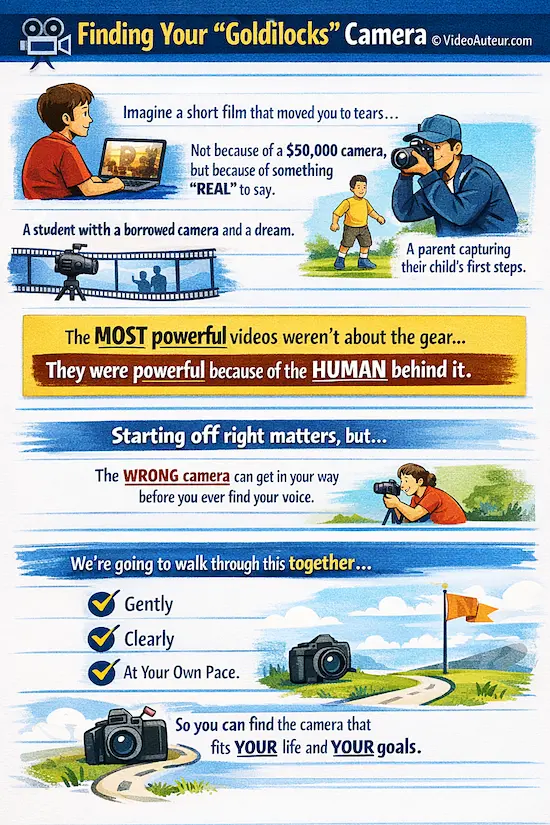
So if you've been asking yourself, "What type of camera should I get as a beginner?" -- take a breath. There's no single right answer, and you don't have to figure it out alone.
We're going to walk through this together, gently and clearly, so that by the end, you'll have a much better sense of what kind of camera actually fits your life, your goals, and where you're starting from right now.
What type of camera should I get as a beginner video creator? (The "Safe Bets")
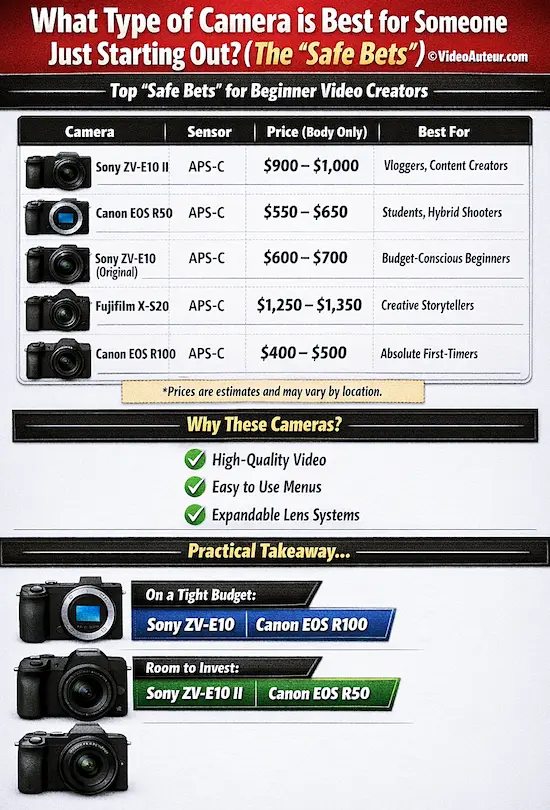
As a beginner, your safest bet is a modern APS-C mirrorless camera like the Sony ZV-E10 II or Canon EOS R50.
These industry-vetted models offer intuitive menus, excellent video quality, and access to lens ecosystems you won't quickly outgrow, letting you focus on learning rather than wrestling with gear.
The short answer: you don't need to research 50 models. You need 3–5 cameras that the industry has already vetted for you.
Here are the current "safe bets" for beginner video creators:
| Camera | Sensor | Estimated Price Range (Body Only) | Best For |
|---|---|---|---|
| Sony ZV-E10 II | APS-C | $900 -- $1,000 | Vloggers, content creators |
| Canon EOS R50 | APS-C | $550 -- $650 | Students, hybrid shooters |
| Sony ZV-E10 (original) | APS-C | $600 -- $700 | Budget-conscious beginners |
| Fujifilm X-S20 | APS-C | $1,250 -- $1,350 | Creative storytellers |
| Canon EOS R100 | APS-C | $400 -- $500 | Absolute first-timers |
Note: These price ranges are estimates based on current market pricing. Prices fluctuate depending on your location and retailer, but these give you solid starting points.
Why these cameras?
Each of these models is widely recognized in the filmmaking and content creation community as a reliable, beginner-friendly entry point.
They all...
- shoot high-quality video,
- have intuitive menus, and
- belong to lens ecosystems that will grow with you as your skills develop.
In other words: you won't outgrow them in six months, and you won't feel lost navigating their settings.
Notice something? Every single one of them uses an APS-C sensor. That's not a coincidence -- I'll explain why later in the section about Full Frame vs. APS-C.
Here's the practical takeaway:
If you're on a tight budget, the Sony ZV-E10 or Canon EOS R100 are your starting line. Both deliver excellent video quality without breaking the bank.
If you have a little more to spend, the Sony ZV-E10 II or Canon EOS R50 are excellent investments that offer more features and flexibility as you grow.
According to the Camera and Imaging Products Association (CIPA), mirrorless camera shipments have grown since 2023, establishing mirrorless as the industry's primary growth area.
What camera features should a beginner look for? (The "Why")
Prioritize reliable face-tracking autofocus to keep shots sharp, a flip-out screen so you can see yourself while filming, and a microphone jack for clear audio.
These practical tools eliminate frustration and improve sound quality -- the real key to keeping viewers engaged -- far more than chasing raw resolution specs.
Now that you have your shortlist, let's talk about why these cameras made the cut -- and what features you should actually prioritize when evaluating any camera for video.
Here's the golden rule: chase features that make shooting smooth, not specs that dazzle on paper.
With that in mind, here are the features that actually matter for video beginners:
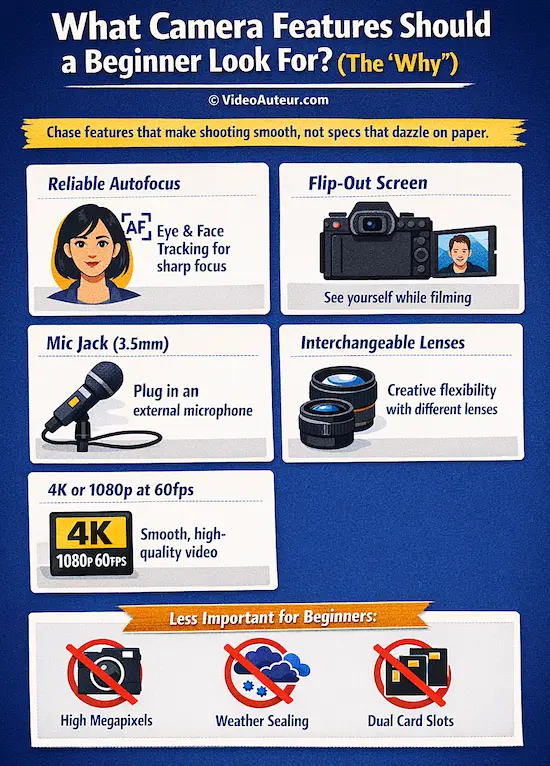
Reliable Autofocus (AF)
When you're learning to frame a shot, adjust your lighting, and think about what you're saying on camera -- the last thing you want is to manually pull focus.
Look for cameras with Eye-AF and Face-Tracking, which automatically keep subjects sharp even when they move.
This feature alone will save you from countless frustrating moments early on. Sony and Canon are particularly strong here.
A Flip-Out (Articulating) Screen
If you're filming yourself -- for vlogs, tutorials, or self-directed projects -- a screen that flips out toward you is a game-changer.
It lets you see exactly what the camera sees while you're in front of it, so you can frame yourself properly without guessing.
The Sony ZV-E10 and Canon R50 both have this, and once you use it, you won't want to go back.
A Microphone Jack (3.5mm)
Here's something most beginner articles gloss over: your built-in camera microphone is almost always terrible.
Even if your camera's built-in mic has improved, it's positioned so close to the lens and camera body that it picks up the subtle mechanical sounds of your lens focusing and your hands adjusting settings.
A 3.5mm microphone input lets you plug in an external mic -- like a portable wireless mic or a mini-shotgun mic -- for dramatically better audio.
And here's the thing: according to professional video educators, poor audio is the #1 reason viewers stop watching a video, not poor image quality.
Research indicates that poor audio quality in educational videos reduces student retention and content perception, much like classroom noise impairs learning.
Therefore, creators should prioritize clear audio to improve viewer outcomes.
Invest in good sound, and your videos will feel infinitely more professional.
Interchangeable Lenses
A camera that accepts different lenses gives you creative flexibility that a fixed-lens camera simply can't match.
As your skills grow, you'll want to experiment with a portrait lens, a wide-angle lens, and more.
Your lens choice is one of the ways you imprint your visual signature onto your videos -- it's part of what makes you you as a creator.
4K Video (or at Least 1080p at 60fps)
Most modern beginner cameras shoot 4K, but don't get too hung up on this.
1080p at 60fps is still perfectly professional for most online platforms and gives you smooth slow-motion footage when you need it.
In real-world shooting, 1080p at 60fps is more than enough -- clients and viewers care about the content and moments you capture, not whether you're shooting in 4K.
Plus, 1080p files are much easier to work with on standard computers and take up far less storage space.
Features That Are Less Important for Video Beginners
- High megapixel count -- that's for photography, not video
- Weather sealing -- nice to have, but not essential at this stage
- Dual card slots -- professional redundancy you won't need yet
In practice, one reliable SD card with fast read and write speeds is plenty.
What matters more is that you format your cards before each shoot and keep extra fast cards on hand -- they're cheaper than the camera body and worth the peace of mind.
Which camera is best for beginners: DSLR or Mirrorless?
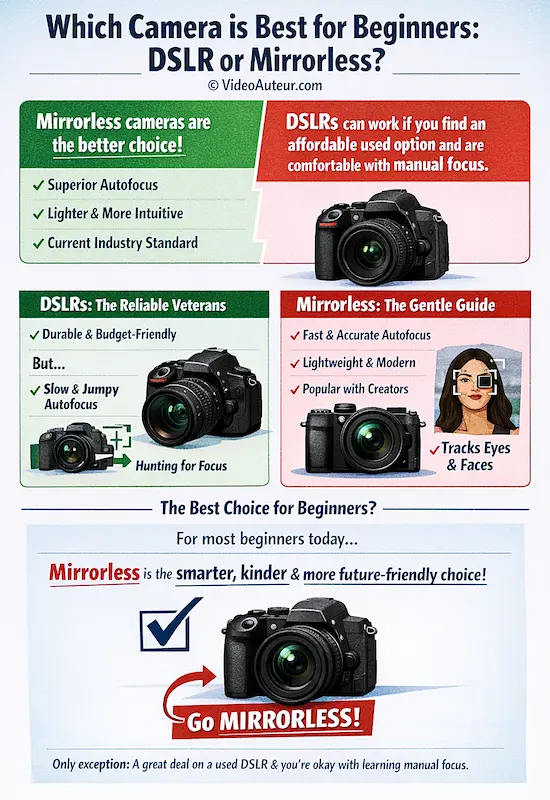
For video beginners, mirrorless is the better choice.
Its real-time sensor provides reliable face and eye-tracking autofocus, preventing the frustrating "hunting" seen on DSLRs.
You'll capture moving subjects smoothly without mastering manual focus first, and you're investing in the current, future-proof lens system used by most creators today.
The short answer? For most beginners today, mirrorless is the smarter, kinder, and more future-friendly choice.
Let me explain -- not to dismiss DSLRs (they’ve done so much for so many of us), but to help you pick what’s right for you right now.
DSLRs: The Reliable Veterans
DSLRs -- like the Canon Rebel series or Nikon D3500 -- were the workhorses of a generation. They’re durable, have long battery life, and there’s a huge used market full of affordable options
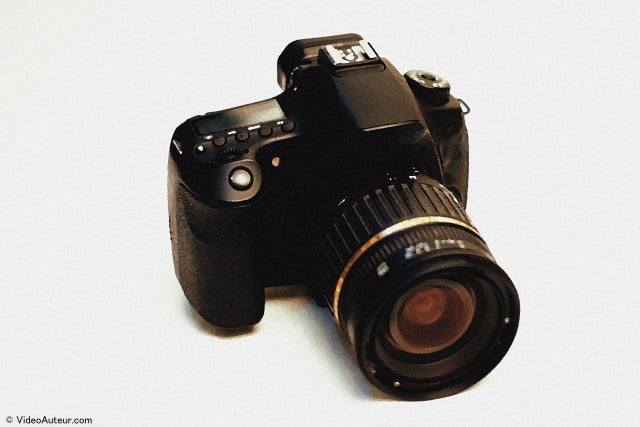
I remember the DSLR revolution too -- when suddenly, we could shoot video with cameras that cost a fraction of professional camcorders.
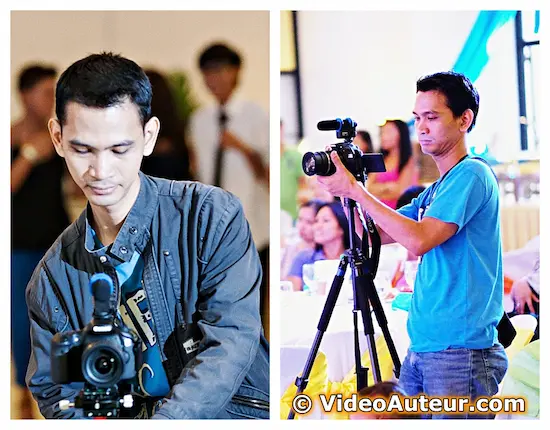
But here’s the thing: DSLRs were designed first for photography. Their video autofocus -- especially when you’re shooting in live view -- can be slow, jumpy, and frustrating.
You might see that awkward “hunting” focus, where the camera struggles to lock onto your subject.
That’s fine if you’re staging shots and using manual focus (which teaches discipline!).
But if you’re shooting events, vlogs, or anything with moving people? It’s easy to miss moments.
So while a used DSLR can be a great budget entry point -- especially if you’re okay with manual focus and want to learn the “cinematographer’s way” -- it’s not the smoothest path for most beginners.
Mirrorless: The Gentle Guide for Today’s Video Creators
Mirrorless cameras ditch the internal mirror entirely. That makes them lighter, quieter, and -- most importantly -- brilliant at video autofocus.
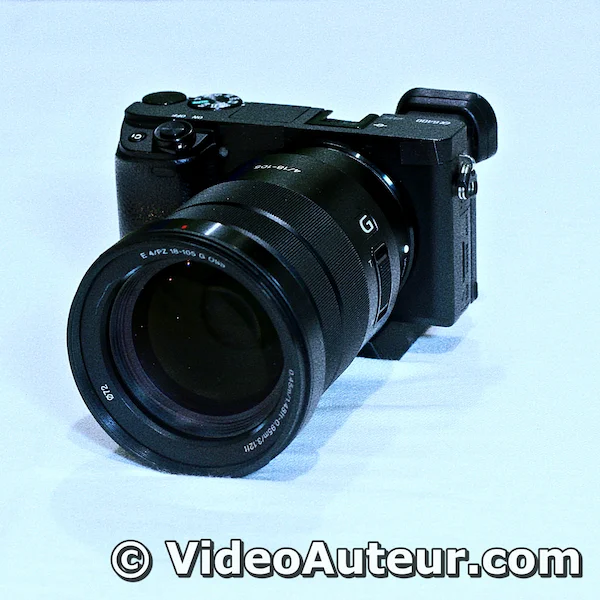
Because the sensor is always “live,” these cameras can track eyes, faces, and moving subjects in real time.
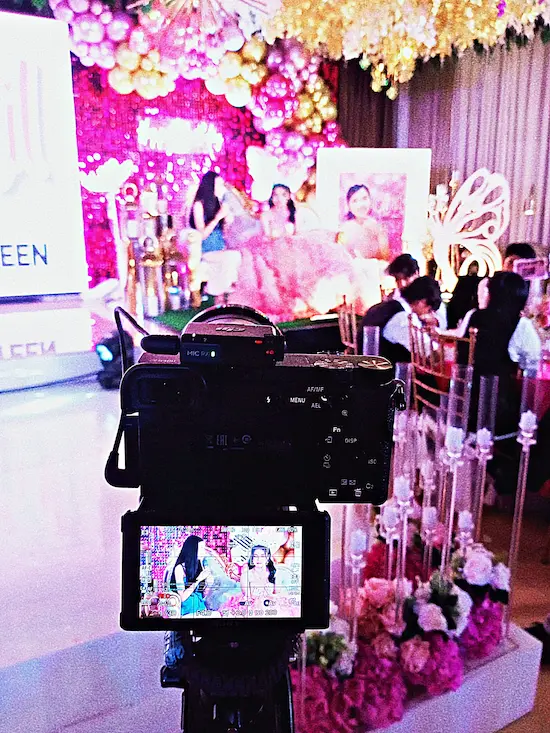
No more guessing.
No more missed shots.
They’re also the cameras most creators -- from students to pros -- are using now.
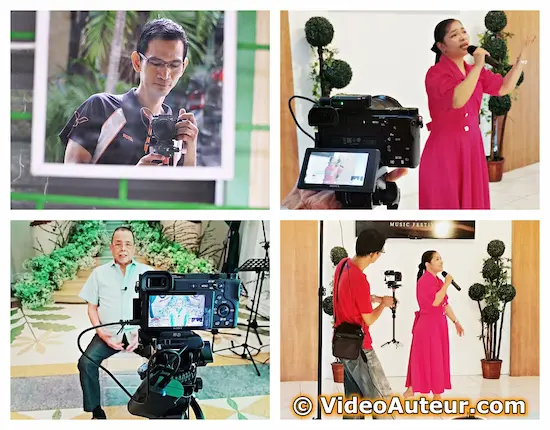
The world has moved on, and choosing mirrorless means you’re investing in a system that’s growing, supported, and designed for how we shoot video today: quickly, intuitively, and often on the fly.
So… what should you do?
If you’re asking, “What type of camera should I get as a beginner?” -- and you want to focus on video, especially if you’re shooting yourself, events, or anything with movement -- go mirrorless.
It’s the smoother, more forgiving, and more future-proof path.
The only exception? If you find a truly exceptional used DSLR deal -- and you’re okay with learning manual focus and shooting more like a filmmaker than a vlogger -- then it can still be a solid starting point.
But for most of us? Mirrorless is where the journey begins now.
Should you stick with your smartphone or buy a dedicated camera?
For beginners, stick with your smartphone first.
Modern phones shoot excellent video and are perfect for learning composition, lighting, and storytelling.
Invest in a dedicated camera only when you consistently hit limits with background blur, low-light noise, or manual audio control -- and feel your creative vision genuinely requires more.
The honest answer: it depends on what you want to create -- but your smartphone might be enough to start.
Modern smartphones are genuinely remarkable now. They have reliable autofocus for video, computational photography that rivals professional tools, and they're always with you.
If your goal is to post content to Instagram Reels, TikTok, or YouTube Shorts, your smartphone might be all you need right now.
But -- and this is important -- there's a difference between "enough to start" and "enough to grow."
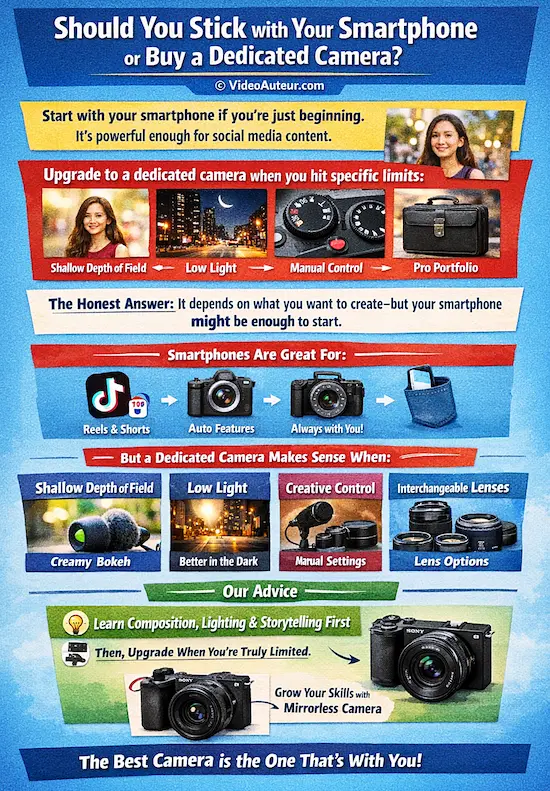
When a Dedicated Camera Starts to Make Sense
You'll know it's time to invest in a dedicated camera when you start bumping into these limits:
You want shallow depth of field.
That beautiful "blurry background" (bokeh) look that makes subjects pop?
Smartphones simulate this with AI, but a dedicated camera with a fast prime lens does it optically.
The difference is visible, and it changes how your videos feel.
You're filming in low light.
A larger sensor -- even an APS-C sensor -- captures significantly more light than a tiny smartphone sensor.
The result? Cleaner, less grainy footage that doesn't look like it was shot through a fog.
You want more creative control.
Manual aperture, shutter speed, and ISO give you a level of intentionality that smartphone auto-modes can't match.
This is where you start to grow as a creator -- where your choices shape what viewers see.
You want to use different lenses.
Want to shoot a wide landscape or get a close-up of a subject without losing quality?
Interchangeable lenses give you that flexibility.
More importantly, choosing your go-to lenses is like finding your visual voice. Different lenses render different looks, and what we see -- even without words -- speaks to us.
Your lens choices become part of your signature.
You need better audio options.
Smartphones have limited (or no) microphone jacks, making professional audio attachment cumbersome.
A dedicated camera gives you the flexibility to plug in external mics and take your sound seriously.
You're building a professional portfolio.
For students and aspiring professionals, shooting on a dedicated camera signals craft and intentionality to future clients or employers.
It matters.
A Useful Benchmark
A Sony ZV-E10 paired with a Sony 35mm f/1.8 prime lens will produce a noticeably different image than an iPhone in most shooting conditions -- particularly in background separation and low-light performance.
But here's the truth: a flagship smartphone in bright daylight can be surprisingly competitive.
Our Advice
If you already own a recent flagship smartphone, spend a few weeks shooting with it intentionally.
Learn composition, lighting, and storytelling first. Explore what your phone can do.
Then, when you feel genuinely limited -- when you're reaching for features it doesn't have -- that's the right moment to invest in a dedicated camera.
There's no shame in starting with what you have. The best camera is the one that's with you.
But when you're ready to grow, a mirrorless camera is your natural next step.
Full Frame vs. APS-C: Does sensor size really matter for your first camera?
For your first video camera, sensor size matters far less than you think.
An APS-C model is the smarter choice -- more affordable, lighter, and its image quality is indistinguishable from full-frame on social feeds.
Save your budget for better lenses and audio gear; that's where your audience will actually notice the difference.
This is where many beginners get lost in the weeds -- so let's slow down, demystify this debate, and give you a clear, calm answer.
For your first camera, APS-C is very often the "Goldilocks" choice. Not too big, not too small, and priced just right for where you are in your journey. Here's why.
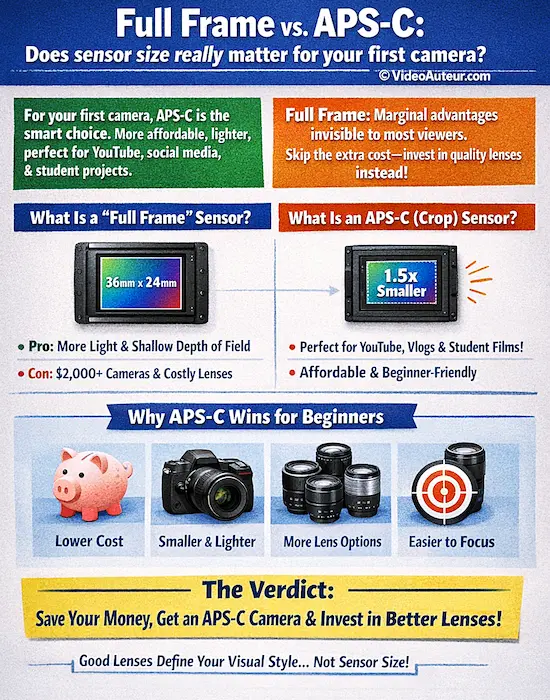
What Is a "Full Frame" Sensor?
Think of your camera sensor like a bucket catching light. A full-frame bucket is bigger, so it catches more light.
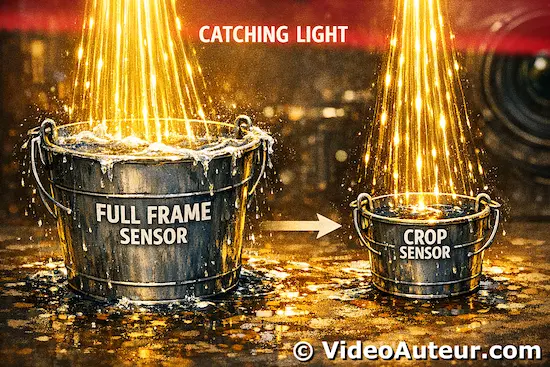
More specifically, a full-frame sensor is the same size as a traditional 35mm film frame (36mm × 24mm).
This gives you real advantages: better performance in very low-light situations, a shallower depth of field that's easier to achieve, and a reputation as the "professional standard."
Cameras like the Sony A7 V or Canon EOS R6 Mark III use full-frame sensors -- and they're genuinely excellent.
The catch? Full-frame cameras and their lenses are significantly more expensive. A full-frame body alone often starts at $2,000--$3,000, and compatible lenses can add another $500--$2,000+ to your kit.
That's a steep investment before you've even pressed record for the first time.
What Is an APS-C (Crop) Sensor?
An APS-C sensor is roughly 1.5–1.6x smaller than a full-frame sensor -- which is why it's sometimes called a "crop sensor." Every camera in our "Safe Bets" list uses one.
Here's what most websites don't tell you clearly enough:
For the vast majority of beginner video use cases -- YouTube, social media, short films, student projects, vlogs -- APS-C sensors are more than sufficient.
The difference between APS-C and full frame is largely invisible to a general audience watching on a phone or laptop screen.
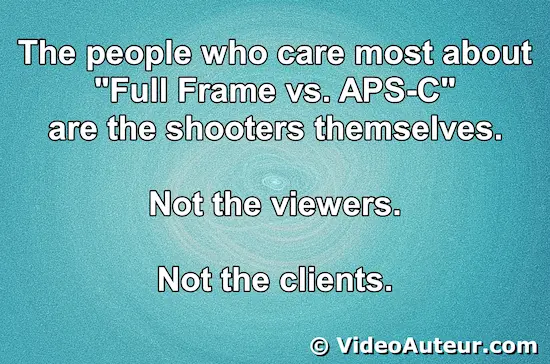
And honestly? The people who care most about "Full Frame vs. APS-C" are the shooters themselves -- not the viewers, and not the clients.
Viewers want to be swept away by your content.
Clients want to know you captured the moments they asked for.
Nobody stops a video to ask, "Wait -- was this shot on a crop sensor?"
The Hidden Advantages of APS-C for Beginners
There's actually a lot working in your favor with an APS-C camera:
- Lower cost -- both the body and lenses are significantly more affordable
- Smaller and lighter -- easier to carry, and less intimidating to use in public
- Larger lens ecosystem at entry price points -- more affordable glass options to explore
- Easier to achieve sharp focus -- the slightly deeper depth of field of APS-C can actually be helpful when you're still learning to nail focus consistently
- More than capable in real-world conditions -- modern APS-C sensors perform brilliantly in good light, and are surprisingly strong in low light up to around ISO 3200, which covers most situations a beginner -- or even a working professional -- will actually encounter
The Verdict
Unless you have a very specific need for extreme low-light performance, save your money, get an APS-C mirrorless camera, and invest the difference in better lenses or audio gear.
Speaking of lenses -- even if you go with an older but capable APS-C mirrorless model, you'll be far better served by pairing it with good glass, like a fast prime lens.
A quality prime lens doesn't just improve your image -- it starts to define your visual signature as a creator. And that's worth far more than a sensor upgrade at this stage of your journey.
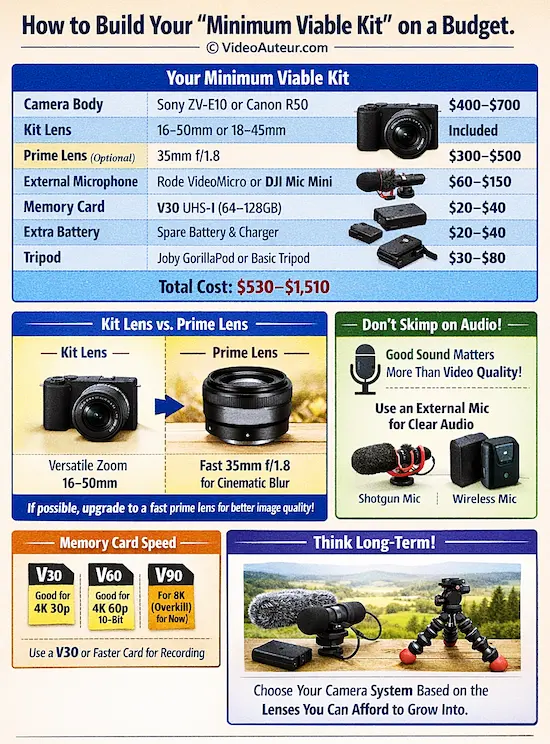
How to build your "Minimum Viable Kit" on a budget.
Start with a capable entry-level body like a Sony ZV-E10 or Canon R50 and use the included kit lens.
Prioritize your remaining budget on a Rode VideoMicro for clear audio and a fast V30 memory card to avoid recording failures.
For an instant image upgrade, add an affordable prime lens later.
Here's the thing: the camera body is only the beginning.
If you spend your entire budget on the camera and have nothing left for accessories, you'll be frustrated -- because a great camera with terrible audio and no memory card is just an expensive paperweight.
So let's talk about what you actually need to get started.
Your Minimum Viable Kit
| Item | Recommended Option | Estimated Cost |
|---|---|---|
| Camera Body | Sony ZV-E10 or Canon R50 | $400–$700 |
| Kit Lens | Included 16–50mm (for Sony) or 18–45mm (for Canon) | Included or ~$100 used |
| Prime Lens (Optional Upgrade) | Sony 35mm f/1.8 | $300–$500 |
| External Microphone | Rode VideoMicro (mini shotgun mic) or DJI Mic Mini (wireless system) | $60–$150 |
| Memory Card | Sony or Lexar V30 UHS-I (64–128GB) | $20–$40 |
| Extra Battery + Charger | Third-party compatible | $20–$40 |
| Basic Tripod or Gorilla Pod | Joby GorillaPod or Amazon basics | $30–$80 |
Total Estimated Range: $530–$1,510
Note: These are estimates based on current market pricing. Prices fluctuate by location and retailer, so use this as a starting framework, not an absolute number.
Kit Lens vs. Prime Lens: Where Should You Invest?
Most cameras come with a kit zoom lens (like a 16--50mm), which is versatile and a perfectly fine starting point. You don't need to upgrade immediately.
But if your budget allows, invest in a fast prime lens -- like a 35mm f/1.8 -- early on.
Here's why:
-
A prime lens gives you that cinematic blurry background (shallow depth of field) that draws focus to your subject.
- It also opens wider than a kit lens, giving you significantly better low-light performance.
To me, a fast prime lens is the single biggest image quality upgrade a beginner can make -- not the camera body. Why?
Because a decent fast prime like the 35mm f/1.8 is relatively cheaper than upgrading your camera body, and the visual difference is immediately noticeable.
A quality prime lens doesn't just improve your image -- it starts to define your personal signature look as a creator.
Don't Forget Audio — Seriously
I cannot stress this enough: viewers will forgive slightly soft video. But they have low tolerance for bad audio.
An external microphone solves this immediately.
A mini-shotgun microphone or a portable wireless mic system are some of the best investments you can make as a beginner video creator. Why?
Because improving your audio is significantly cheaper than upgrading to an expensive full-frame camera body or a premium lens system -- and the impact on your viewers is far greater.
Think about it:
-
People will watch a video shot on an older camera if the audio is clear and the story is good.
- But they'll click away from a beautiful video with muffled sound in seconds.
Memory Card Speed Matters More Than You Think
For video recording, you need a card rated at V30 or higher (Video Speed Class 30).
- V30 is good for basic 4K 30p and standard 4K 60p
- V60 is good for high-end 4K 60p with 10-bit color
- V90 is good for 8K or future-proofing (probably overkill for now)
Slower cards will cause your camera to stop recording mid-shoot -- a frustrating and completely avoidable problem.
Have several fast cards on hand. You'll likely use V30 and V60 cards for most projects; V90 is overkill at this stage.
Here's the practical truth: investing in faster memory cards is far smarter than rushing to buy an expensive full-frame camera body.
Cards are cheap.
Mistakes from slow cards are expensive.
One Critical Point: Lens Mount Ecosystems
When you buy a mirrorless camera, you're not just buying a body -- you're buying into a lens mount system. Sony uses the E-mount. Canon uses the RF mount. Fujifilm uses the X-mount.
Each brand's lenses only fit their own cameras (without adapters). Before you commit, think about which system has the lenses you'll eventually want, at prices you can actually afford.
Sony's E-mount has the deepest third-party lens selection for budget buyers. Canon's RF-S lenses for APS-C are growing quickly.
This matters because your camera is only as good as the glass you can afford to put on it.
The Big Picture
Build your kit thoughtfully.
Prioritize audio and memory cards over chasing the fanciest camera body.
Invest in a good prime lens early.
And choose your camera system based on the lenses you'll want to grow into, not just the body you're buying today.
Your whole audio-video creation system needs to work together -- not just your image quality.
That's what separates videos that feel professional from videos that feel like they're missing something.
Is it better to buy a brand-new budget camera or a higher-tier used model?
For pure video learning, a higher-tier used model is often the smarter investment.
You gain pro-level autofocus and better image quality that new budget cameras lack for the same price.
However, if you're risk-averse and value a warranty above all else, the peace of mind from buying new is valid.
The honest answer is: it depends on your priorities and comfort level. Let me give you a framework to help you decide.
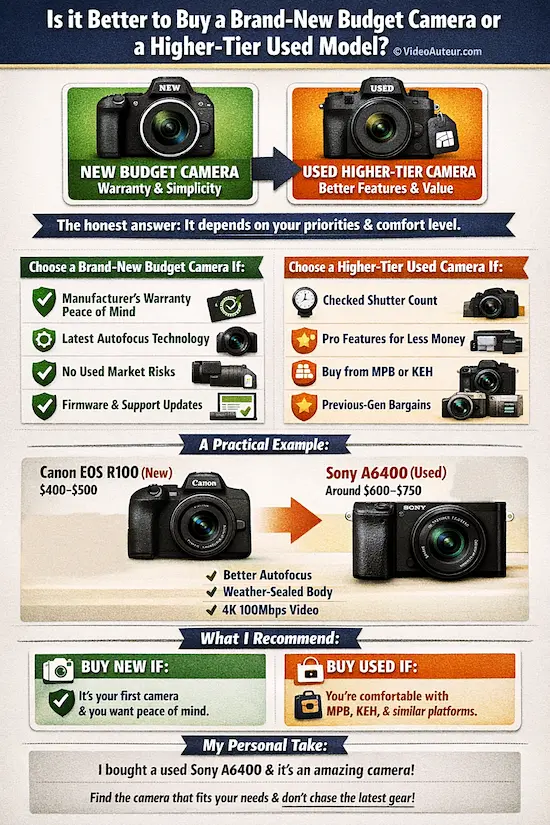
Choose a Brand-New Budget Camera If:
You want a manufacturer's warranty and peace of mind. There's real value in knowing you're covered if something goes wrong.
- You want the latest autofocus technology. Newer cameras have significantly better AF algorithms -- though I should note that previous-generation autofocus is still excellent and perfectly suitable for beginners, amateurs, and even professionals.
- You're risk-averse and don't want to deal with potential used-market surprises. That's completely valid.
- You want access to the latest firmware updates and ecosystem support. New cameras get ongoing software improvements that can enhance performance over time.
Choose a Higher-Tier Used Camera If:
-
You're comfortable doing a shutter count check and buying from a reputable seller. A shutter count tells you how much the camera has been used -- lower is better, but even 10,000--20,000 shutter actuations is still very healthy.
-
You want more professional features (better weather sealing, higher bitrate video, more color profiles) for a similar price.
-
You're buying from a trusted platform like MPB, KEH Camera, or B&H Used. These sellers vet their inventory and offer return policies.
- You're eyeing a previous-generation gem -- like a used Sony A6400, which often sells for $600--$750 and offers features that outperform many new budget cameras.
A Practical Example
A brand-new Canon EOS R100 costs around $400–$500. It's a solid beginner camera.
For a similar or slightly higher budget on the used market, you might find a Sony A6400 -- a camera with significantly better autofocus, a higher bitrate, and more professional video features.
- The A6400 uses real-time tracking and Eye AF (compared to Canon's older Dual Pixel AF).
- It has a weather-sealed magnesium body (versus the R100's plastic construction).
- It shoots 4K uncropped video, meaning a 35mm lens gives you that true 35mm field of view -- not zoomed in.
- And it records 4K at 100 Mbps with professional color profiles like S-Log and HLG3, giving you flexibility in post-production.
The trade-off? The A6400 typically comes without a warranty (especially in peer-to-peer sales), and you need to do your homework before buying.
What I Recommend
If this is your very first camera and you're not yet confident evaluating used gear, go new. There's no shame in that. Peace of mind is worth something.
If you've done a little research and are comfortable with platforms like MPB or KEH, the used market can offer remarkable value. You might find a camera with features that would cost significantly more if you bought new.
A Personal Note
I own a Sony A6400 that I bought second-hand with only 1,000 shutter actuations from a hobbyist. I love it.
This camera has everything beginners, amateurs, and many professionals need for video -- whether you're shooting staged content or events.
It's been around for a few years, but it remains a highly recommended workhorse for a reason.
The A6400 offers the same lightning-fast autofocus as the ZV-E10, but in a more traditional body that works beautifully for hybrid photo/video use.
It's often available at a great price on the used market (many users upgrade to full-frame cameras chasing the latest gear), and it gives you access to Sony's incredible library of lenses.
Here's the honest truth:
A camera stays relevant as long as the person holding it doesn't equate their worth as a creator with the tools they own.
The A6400 will stay relevant for years because it has what you actually need. If you find a good deal on one, especially if buying brand-new isn't an option for you, I genuinely recommend grabbing it.
FAQs
What type of camera should I get as a beginner vlogger?
What type of camera should I get as a beginner vlogger?
While any of the cameras we discussed will work, some are optimized for it. Look for "vlogging kits" that include a wider lens (to fit more of the background in your shot) and a built-in wind muff for the microphone.
The Sony ZV-E10 is a prime example of a camera designed specifically for this purpose.
Is it still worth getting a DSLR?
Is it still worth getting a DSLR?
Only if you are on an extremely tight budget and find a great deal on the used market.
For example, a used Canon Rebel DSLR with a lens for under $300 could be a fine way to learn the basics of exposure.
However, for most students and self-learners, a mirrorless camera is the better long-term investment due to its superior video autofocus and smaller size.
Why is everyone switching to mirrorless?
Why is everyone switching to mirrorless?
Many shooters are moving to mirrorless cameras because their powerful processors enable lightning-fast, AI-powered eye and subject tracking -- outperforming most DSLRs.
Even in dim lighting, mirrorless viewfinders brighten the scene digitally, and their autofocus locks on reliably.
Plus, you get a live exposure preview, so you know exactly how your shot will look before you take it.
Which camera brands offer the most beginner-friendly models?
Which camera brands offer the most beginner-friendly models?
Sony, Canon, and Fujifilm are the current leaders in providing "entry-level" cameras that don't sacrifice professional image quality.
Sony and Canon lead in autofocus, while Fujifilm is beloved for its easy-to-use creative controls and beautiful out-of-camera colors.
What's a good starter camera for both photography and video?
What's a good starter camera for both photography and video?
Look for "hybrid" cameras.
Most modern mirrorless cameras, like the Sony A6400 or Canon R50, are designed to do both beautifully. They excel at both photos and high-quality 4K video.
Conclusion
Choosing your first camera isn’t about chasing the most expensive gear -- it’s about finding the tool that empowers you to create without getting in your way.
Whether you start with a $400 Canon R100 or a used Sony A6400, what matters most is that you begin, learn, and grow.
The best camera is the one you use consistently -- not the one that sits in a box waiting for “someday.”
So, what’s the one feature you’ll prioritize first as you take your next step into video creation?
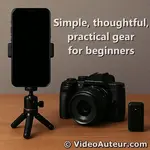
Once you’ve chosen your camera, remember that video production is about more than just the body. For a friendly walkthrough of the entire beginner kit -- from tripods and microphones to lighting and editing software -- explore our complete guide:
You might like these
How to Start Video Production for Beginners Step by Step
How to start video production for beginners step by step guide. Focus on purpose, audience, and message. Skip the overwhelm. Create videos that truly connect.
Editing Videos: Overcome Confusion, Complete Your Project
Struggling with editing videos? Find clarity by seeing the big picture first. Learn the key strategies to move from raw footage to your final cut.
What is the first step to making videos people love to watch
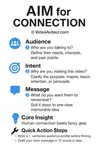
What is the first step to making videos people love to watch? Learn the AIM framework: define your Audience, Intent, and Message before pressing record.










Alvin Motilla is the creator of VideoAuteur.com, where he helps everyday people make videos that truly connect with audiences. With over 20 years of experience spanning scriptwriting, documentaries, corporate, and freelance video production, he champions the human side of creation over gear obsession. A graduate of AB Mass Communication, he believes that showing up with heart matters more than owning expensive equipment. Off-screen, Alvin enjoys biking with his wife and daughter, staying active, and studying Scripture.

Get Your Free Cheat Sheet
The Most Common Video Mistakes (and How to Fix Them)

Sign up to download it instantly. You’ll also get tips, step-by-step guidance, and gear guides to make video creation simple.
What's New


-
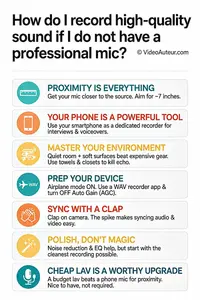
How do I record high-quality sound if I do not have a professional mic
 How do I record high-quality sound if I do not have a professional mic? Discover simple, zero-budget techniques using your phone for studio-quality audio.
 -
What is B-roll and why does my video need it? A Guide
 Wondering what is B-roll and why does your video need it? This guide reveals simple tips to add visual variety, hide edits, and keep viewers watching longer.
 -
What is the Rule of Thirds in Digital Composition? Visual Guide
 What is the Rule of Thirds in digital composition? A visual guide to placing subjects on power points for better storytelling. Learn how to use the grid.
Get Your Free Cheat Sheet
The Most Common Video Mistakes (and How to Fix Them)

Sign up to download it instantly. You’ll also get tips, step-by-step guidance, and gear guides to make video creation simple.
Copyright © 2014- VideoAuteur.com All rights reserved
This website does not sell any personal information.
Get Your Free Cheat Sheet
The Most Common Video Mistakes (and How to Fix Them)
Sign up to download it instantly. You’ll also get tips, step-by-step guidance, and gear guides to make video creation simple.