- Video Production
- Video Making Tips for Beginners
- How to Make Creative Videos
How to Make Creative Videos: Planning Over Gear
Forget chasing expensive cameras.
True creativity starts with a plan: know exactly who you’re making the video for and the feeling you want to leave them with.
A clear story shot on your phone will always outshine aimless footage from high-end gear.
Focus on intention, not equipment.
Key Takeaways: How to make creative videos
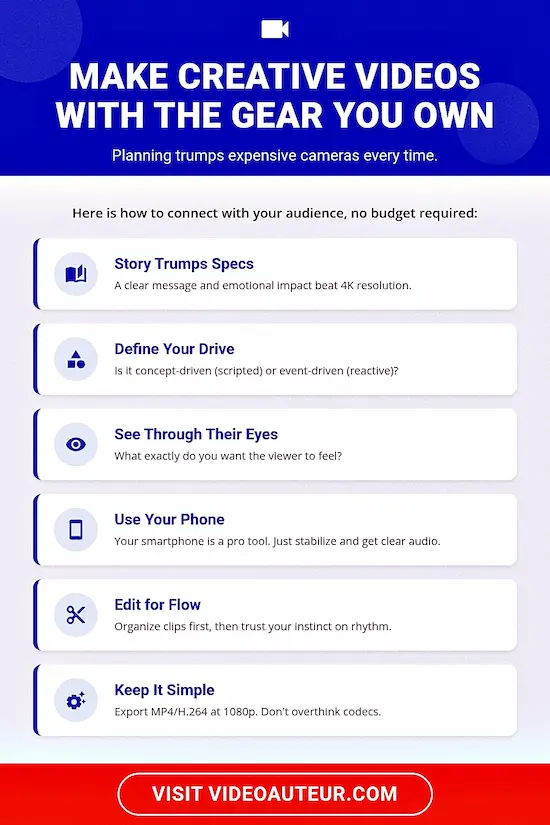
- Story Trumps Specs: Creative video is defined by planning and emotional intention, not by owning expensive gear. A clear message and a defined audience are more powerful than a new camera.
- Define the Core Drive: Identify if your video is concept-driven (fully scripted, like a tutorial) or event-driven (reactive, like a wedding). This choice dictates your entire preparation and shooting style.
- See Through Their Eyes: Before hitting record, shift your perspective to the viewer. Ask exactly what you want them to feel and understand. Every shot, cut, and music choice should serve that specific emotional takeaway.
- The Phone Is a Pro Tool: Embrace the camera you already own (smartphone, DSLR, mirrorless). Prioritize two technical aspects that instantly elevate "amateur" footage: stabilization (use a tripod) and clear audio (use an inexpensive lav mic).
- Edit for Flow, Not Flash: Smart editing begins with file organization and a review of all footage. During assembly, trust your instinct about rhythm and pacing -- if the sequence "feels right" to you, it will likely feel right to your intended audience.
- Plan the Map, But Follow the Impulse: While an outline or shot list is essential, remain open to "non-obvious" connections. The unplanned shot of a sunset or a texture often becomes the perfect visual metaphor that binds the story together.
- Purpose Over Decoration: Avoid using transitions and effects simply because they are available. Every stylistic element on your timeline should have a clear purpose tied to engaging the specific viewer you identified in the planning stage.
- Keep Export Simple: You don't need to be a codec expert. Stick to the standard baseline: MP4 format, H.264 codec, 1080p resolution, and 30fps. The only major choice is 9:16 (vertical shorts) vs. 16:9 (standard widescreen).
Have you seen a video that truly held your attention? Maybe it was a visually impressive travel video, a funny pet compilation, or a heartwarming short docu that spoke to your core.
Those are creative videos – little moving stories that go beyond simply capturing footage. They evoke and leave a lasting impression.
So, how do you make your own creative videos?
 You can learn how to make creative videos that are engaging.
I have good news for you: You don't need expensive fancy equipment. You don't always need the newest stuff. You don't even need a film degree to be a video auteur -- someone who uses video as a powerful storytelling tool.
A study by HubSpot shows that storytelling is key to grabbing attention and connecting with viewers. Meaning, people who watch videos want to be engaged.
This article will guide you through the practical steps of making creative videos, even if you're a complete beginner with limited resources.
New to video making? Build a solid foundation with our essential beginner’s guide:
What are creative videos?
Creative videos are not defined by flashy effects alone.
True creativity starts in the idea and planning stages.
A creative video thoughtfully serves its audience by clearly evoking specific feelings and delivering a clear message.
Focus first on what you want viewers to feel and understand, then choose production elements to support that vision.
I think some people, when they hear "creative videos," they think of visual and sound effects, flashy transitions, and a kaleidoscope of colors. I say this because I know some who associate those things with "creative".
Yes, you can use those production elements and stylistic choices to help make your videos creative.
But to me, creative videos are those where creativity is present from the outset, informing both the idea and strategy stages.
I mean, it's not just about the video looking creative, but also the way the idea is formed, and the plan is laid out.
 How to make creative videos? Hint: It starts at the idea and planning stages. :-)
With regard to the idea and planning stages, a creative video is one that serves what the intended viewers need or want. How? By being clear in...
- what feelings it has to evoke, and
- what message it has to say.
And that's regardless of the production elements you use, or the stylistic choices you make.
5 steps on how to make creative videos that connect with your intended viewers
To make creative videos that connect, follow these five steps:
First, define whether your idea is concept-driven or event-driven.
Second, plan by targeting your audience and structuring a basic outline.
Third, shoot confidently using the camera you already have.
Fourth, edit smartly by organizing your clips and building momentum.
Finally, export in the right format and share with your viewers.
Now that you know the heart and soul of creative videos, let's get practical!
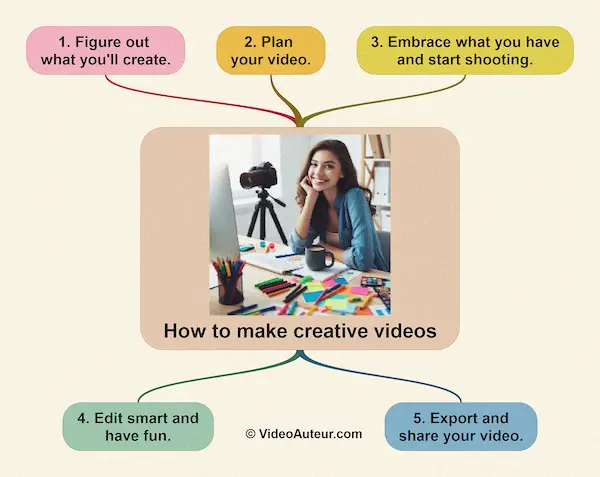 A step-by-step guide on how to make creative videos yourself.
How to make creative videos: 1. Figure out what you'll create.
Start by deciding if your video is concept-driven (fully scripted and planned, like a tutorial) or event-driven (capturing live moments, like a party).
This simple choice shapes your entire creative approach and tells you whether you need a rigid storyboard or just a flexible shot list.
So, what's that video you're creating?
Make notes of your ideas. Every video starts with an idea. The key here is creative thinking (and more about it later).
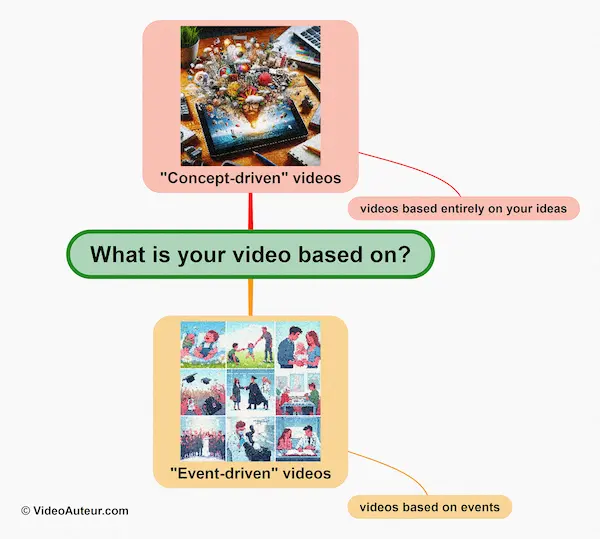
What is your video based on?
My experience over the years is that there are 2 major groups of videos you'll likely create...
- videos based entirely on your ideas, and
- videos based on events.
The first group includes videos that you conceptualize from the scratch and fully map out before shooting. In other words, the content of these videos is entirely scripted and the shots are fully storyboarded.
Your own personal video projects may fall under this first group.
 How to make creative videos: The first major category of creative videos you can create focuses on your own ideas.
Is it a tutorial about cooking your special recipe? An entertaining short-form video you'd like to upload to social media? Or something a bit adventurous like a narrative short film?
On the other hand, the second group refers to event videos. You can get info on what's going to happen in an event, when it'll happen, and who are going to be there.
But you cannot plan every moment you'll shoot. You can only prepare and anticipate.
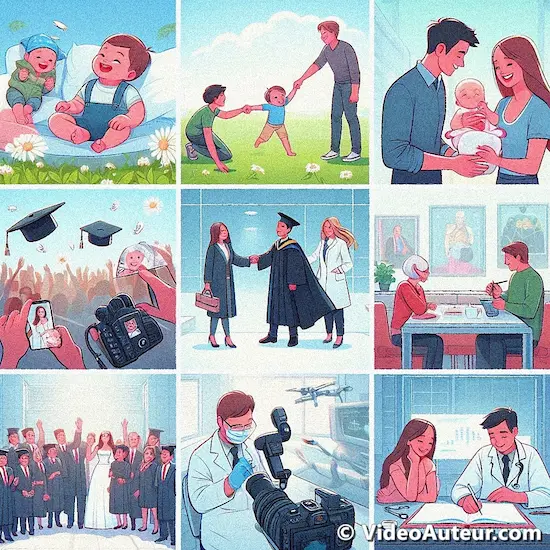 How to make creative videos: The second major category of creative videos you can make are event videos.
Events that you'll likely make videos about include birthday celebrations, class reunions, cultural or music festivals, religious rites like baptism, and weddings.
These types of videos--[1] the concept-driven videos, and [2] the event-driven videos--both need this ideation stage. But they vary in how you brainstorm and plan them.
- Concept-driven videos: You entirely plan these beforehand, with scripted content and storyboarded shots.
- Event-driven videos: You focus on capturing specific events, but your plan for the final video adapts to the unfolding situation. So, some improvisation on your part is needed, because live events are unpredictable.
How to make creative videos: 2. Plan your video.
To plan your video, first define who you're making it for and what they want.
Then, simply list the key points you'll cover in order to create a basic outline.
Expand this into a simple script or shot list so you know exactly what to film before you hit record.
In my view, planning is targeting and structuring. Let me explain...
Planning "concept-driven videos"
Planning a "concept-driven video" involves targeting your audience and structuring your video...
Targeting the audience of your "concept-driven" video: Ask yourself these questions:
- "What kind of viewers am I hoping will watch my video?" - What are they interested in?
- "What do they need or want from the kind of video I'm creating?" - Is it to learn? To be entertained? To be inspired?
Why bother to ask these questions? Because you need to know who you're engaging, if you want to create an engaging video.
Supplementary 1-minute video: "What is the first step to making videos people love to watch?"
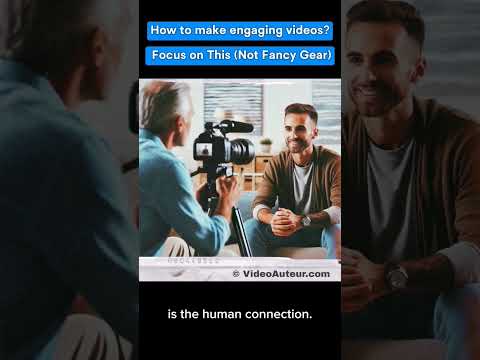
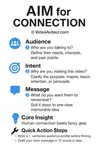
That video covers the surface. But if you want a system you can use on every single project, I've broken this down into a simple framework called AIM -- which stands for...
It's the pre-production checklist that ensures you're not just making a video, but making one that lands with the right people.
Structuring your "concept-driven" video: Now you know who your target audience is and what they're interested in, ask yourself:
- "What is the purpose of my video?" - Is it to teach a skill? To showcase your art? To share a slice of your life?
Make sure your purpose aligns with what your intended viewers need or want. It's a way to make videos that connect. - "How are my intended viewers going to watch my video?" - For example, is your video only for certain people? Or are you uploading the video to social media - like Instagram, Tiktok, YouTube, or Facebook?
Knowing this will help you structure your presentation, because every platform has its own preferred length and content type.
(Tip: Research studies show that short-form video consumption is on the rise on social media and that it's proving effective for education as well.)
- "How am I going to structure the presentation of my video?" - Once you've chosen the type of video you'll make (short-form or slightly longer), simply list the points you'll cover and put them in order. That's your outline.
Then, put flesh to the bones by adding details like voice-over narration, shots you'll make, and music you'll use. That's your script.
Finally, you may want to storyboard your shots to better visualize them. If you don't want that, you can just make a detailed shot list in order.
That's how you plan a concept-driven video -- one that's totally based on your ideas.
--
 How to make creative videos: Planning your video is a key step.
--
Planning "event-driven videos"
Planning an "event-driven video" also involves targeting your audience and structuring your video...
Targeting the audience of your "event-driven" video: Ask yourself:
- "Who are really going to watch this video?" - It's a bit easier because, most likely, when you'll shoot and edit an event video, somebody asked you to do so.
And even if it's your own initiative, it's clear who are going to be your intended viewers. For example, if it's a birthday video, your intended viewers are the celebrant and their family and friends. - "What do they want from this event video?" - In my experience, what the intended audience wants from any event video comes down to 2 things:
[1] they want to look good in the video; and
[2] they want to feel good watching how you present the moments of their special day in the video.
That's it! Because aside from keeping those precious moments, your intended viewers also want to share their experience with their event video.
(This desire for self-promotion can be especially true if they plan to share the video on social media. See, I've saved you lots of hours figuring it out yourself. :-) )
Structuring your "event-driven" video:
Depending on what your audience likes, and what a specific video is for, an event video can also take the form of...
- a "short-form" video. Like a teaser (1 minute or shorter), or a trailer (a minute or two). Or
- a "slightly longer" (but not feature-length) video. Like an event recap video (typically 3 to 7 minutes), or a short docu (5 to 45 minutes, but not the length of a movie).
Note that you can't storyboard every shot you'll use for an event video, because an event is an ongoing thing. But, you can help ensure that your event video still has a nice flow.
How?
By anticipating the most likely shots you'll capture during an event.
One way I do this is by asking for a copy of the program proper -- a document that outlines the activities for a specific occasion, the performers, and the speakers.
If I can't get a hard copy of the program, I simply borrow one and take a picture of it using my phone. And I refer to it from time to time as I cover the occasion or event.
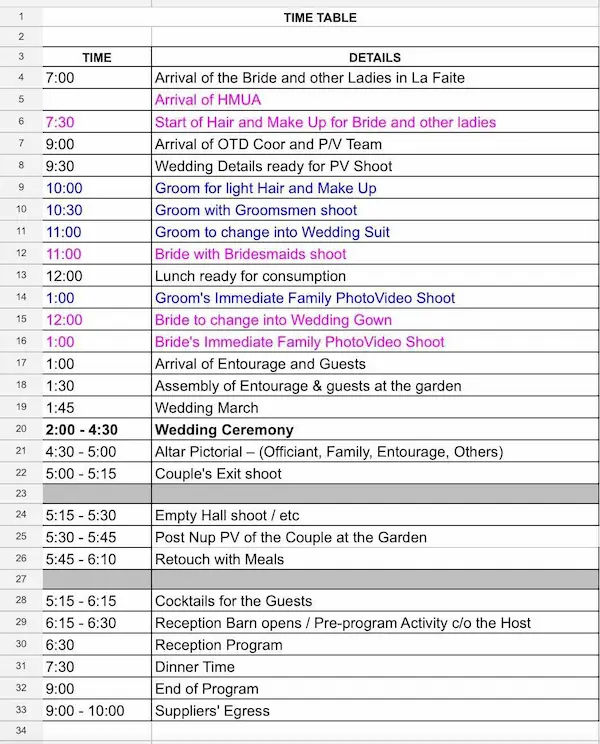 An example of an event program proper. This one's a wedding program I got from one of my video shoots.
In short, I always want to get an idea and an outline of what's going to happen in an event. So I can anticipate the shots I'll take.
And the very structure of the final video takes shape during the editing phase, as I review my footage and put together the pieces of the puzzle.
I've been with event shooters who don't bother to know what's on the program. They just want to react to what's already happening in an event.
Although that may sound exciting, I don't advocate that approach to event coverage. Because not knowing the event flow in advance might lead you to miss capturing some key moments.
So, I prefer being proactive. And I reserve the "reacting" to unplanned moments -- those that are not in the program proper.
How to make creative videos: 3. Embrace what you have and start shooting.
Stop waiting for the perfect gear.
Use the smartphone in your pocket -- it's more than capable.
Shoot your planned scenes, but also follow creative instincts to capture extra angles and details.
For instant improvement, stabilize shots with a tripod and record clear audio using a simple lav mic.
Start creating now.
What kind of camera do you have?
A smartphone?
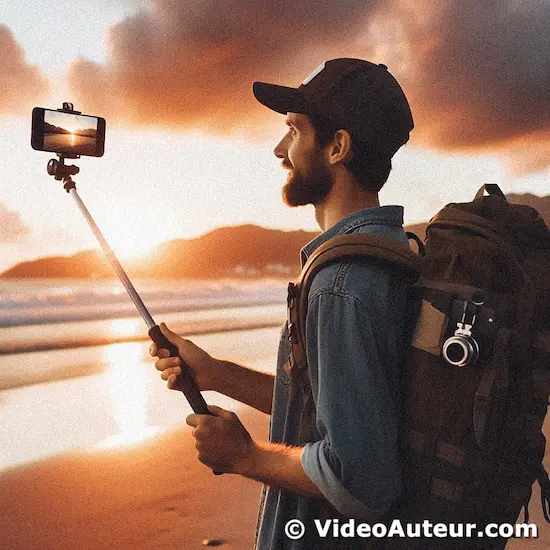
A mirrorless camera?
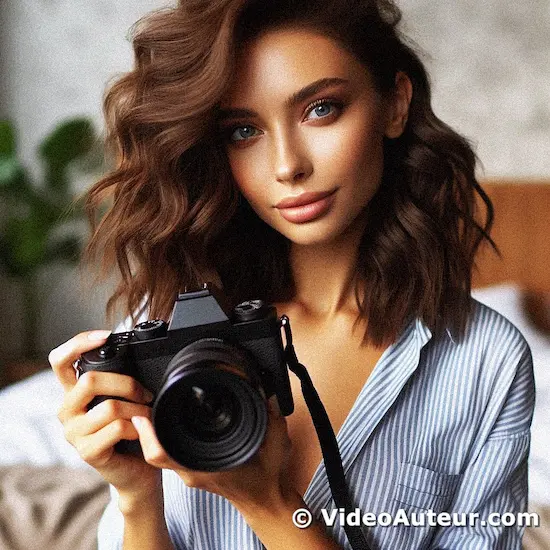
Or something else:
Just use it!
I use a phone for video shooting most of the time, especially for personal projects.
Don't wait to have a camera that has too many features before you even start shooting. Those bells and whistles may be appealing, but not always necessary. So, embrace what you have and start shooting.
--
Shoot what's in your plan -- shot list, script or storyboard. But shoot also what you like. Yes, shoot also what you feel could help make your video engaging.
By doing so, you'll have 2 kinds of materials to use for video editing...
- those well-thought out shots of yours, and
- those that tap into your creative intuition. (More about this later.)
--
I use whatever objects are present during a shoot. But I make sure that in my shots, those objects, together with my subjects, are composed nicely inside the frame.
It's been my practice to shoot the same subject from several angles, using different framings like full, medium, and close-up shots.
For a super steady shot, consider using a tripod. This is especially helpful when you're shooting talking heads and interviews. Other times, you may want to shoot handheld for that raw look and flexibility.
--
And don't forget about sound clarity and quality. External mics, like an inexpensive wireless lav mic, are useful for recording interviews and on-cam presentations. They reduce background noise.
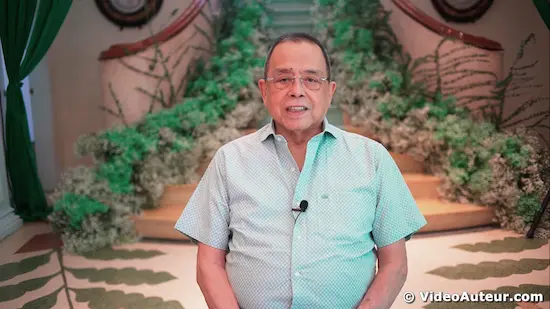 A screenshot from a video I shot, showing someone using a lavalier microphone for an on-camera message.
In events, clear audio recordings of messages, on-cam greetings, and key speeches are a valuable source of story elements. I always choose snippets from these emotion-laden, or thought-provoking audio recordings, and sprinkle them throughout the final video.
How to make creative videos: 4. Edit smart and have fun.
Edit smart by keeping all files in one organized folder and learning only the essential tools in your software -- ignore the rest for now.
Review all your footage first to understand what you have, then assemble the story with purpose.
Have fun by letting creative flow guide you, not the technical clutter.
To make a creative video, you need to edit your video. Here's some tips on how I do it...
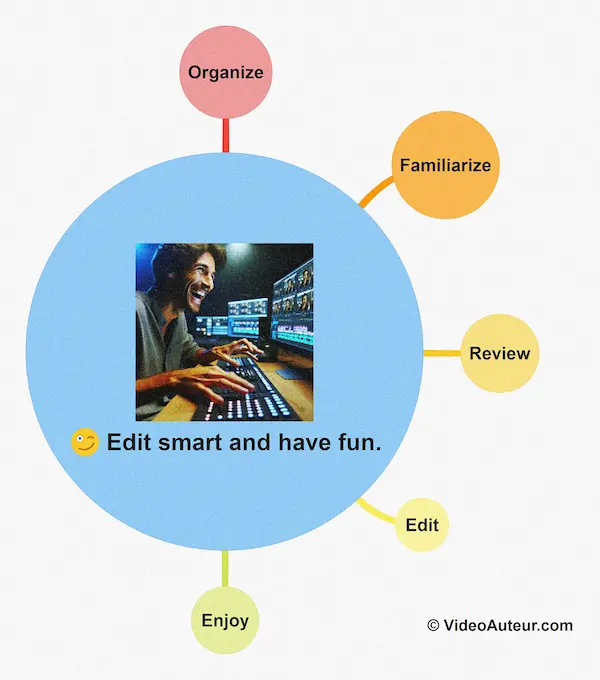 How to make creative videos: Smart editing is key. Don't forget to make it a fun experience!
Organize:
I make sure all the materials for a specific project -- video files, music files, voice over (V.O.) recordings, etc. -- are in one folder. This is true whether I'll edit the video on desktop, laptop, or mobile.
When my files are organized this way, instead of being scattered in different places, it's easier to edit. Organization helps creative thinking.
Familiarize:
I make myself familiar with just the basic functions of my chosen video editing software, and the look of its user interface. At least in the beginning.
I want to edit in a way that the editing tool doesn't get in the way of my "actual" editing. So, when I learn a video editing software, I ignore features that I won't be using right away.
Here are some free video editing software that are very helpful to me. Each has its own use cases. You can check them out and see which would serve your specific needs.
DaVinci Resolve
- Available in Windows, Mac, iPad, and Linux.
- I use this a lot for more creative control, both for personal and commercial uses.
- It has impressive media organization. I love the fact that it allows me to assign keywords to the shots, and Resolve organizes them into smart bins.
- Again, this kind of organization helps me think creatively about the shots. It helps me see how groups of shots can go together on the editing timeline.
- If you're interested in using it, its Cut Page caters for beginners. And you don't even have to leave Resolve's Cut Page in order to produce your own creative video.
Capcut
- Available in browsers, iOS, Android, Windows, and Mac.
- My wife and I love to use it for personal use and for social media uploading.
- If you love 1-minute short-form vertical videos, this is where you can create them. Capcut is designed for creating "shorts".
- It's user-friendly and very intuitive. My wife, who's not very techy, only spent about an hour to learn to edit a short on Capcut using a smartphone.
- You'll need internet connection to access and use the transitions, effects, and AI tools.
Here’s the deal with CapCut’s desktop app: it used to let you export videos without a watermark, but now the free version only gives you about two watermark-free exports per week. After that, you’ll need to upgrade to the paid plan if you want to keep your videos clean.
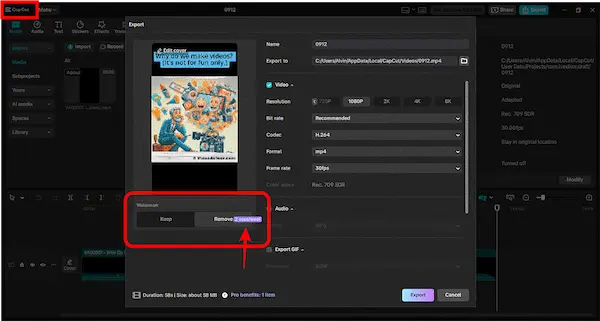
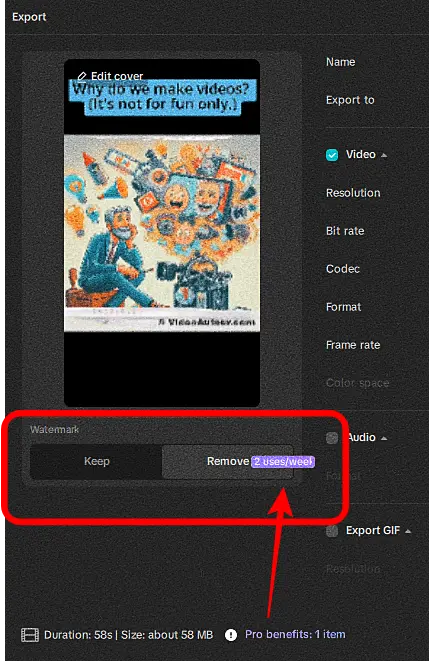
Because of that limit, I wouldn’t recommend the free desktop version—stick with the mobile app if you need unlimited free exports.
CapCut frequently updates the features and functions of its free version, so the watermark behavior in the desktop edition may change over time.
Regardless, our position on what makes a truly free video editor for beginners is the same: zero watermarks, full HD (1080p) exports, access to essential tools (cutting, transitions, color correction), and no forced upgrades.
That said, the desktop app is still worth a try, especially if the paid-only features match what you’re looking for.
VN Video Editor
- Readily available for download on iOS and Android.
- Whether you have internet connection or not, you can edit videos on your smartphone and access VN's transitions and effects.
- It's also very intuitive and user-friendly. I learned to use it without reading any manual or watching a video tutorial.
- Make sure you have all your footage, music files, V.O. recordings, and photos organized in one folder on your phone, before you start editing.
If you love all things open source, that is, totally free -- no free and paid versions -- you may want to try...
OpenShot
- This one's available for Windows, Mac, and Linux.
- It's not officially available on iOS and Android.
- It has a simple user interface. It doesn't feel intimidating, making it easy for you to get started.
- Use it to create presentations, educational videos, or other school projects. Of course, your personal projects as well!
- It's also good for creating video content for YouTube and other social media platforms.
Review:
We've talked about being familiar with your editing tool. Now, we're talking about becoming familiar with your materials.
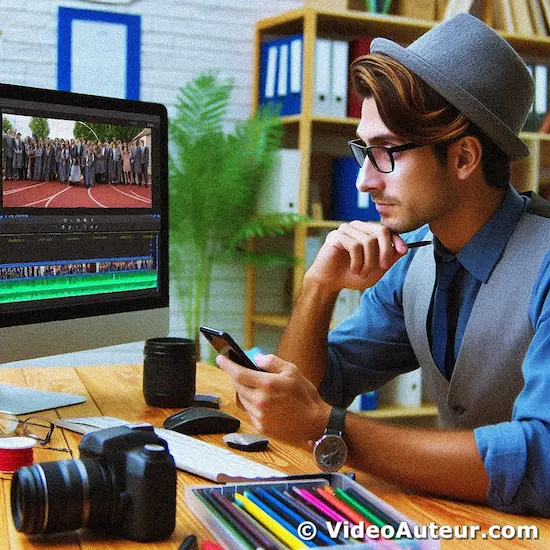 How to make creative videos: Reviewing all your video clips for video editing is an important step in the process.
If you shot your own video, this is easier to do.
You may just want to look inside the folder where you saved all your footage. Just a look at the thumbnail of each video and you're reminded of what each shot is about.
If somebody else gathered the shots, you need to be familiar with those shots by reviewing them. This may sound tedious -- and it is in some way.
But imagine it like tasting each ingredient you need to prepare a specific food, like a salad. Having a sense of what each ingredient tastes like, gives you an idea of how the food would taste as a whole.
This review stage of all your footage is like that.
Because you need to be familiar with what you have, so you can smartly select shots when you start editing.
Edit:
After reviewing your materials, it's time to assemble the pieces of the puzzle! To build the intro, middle, and end parts of your video.
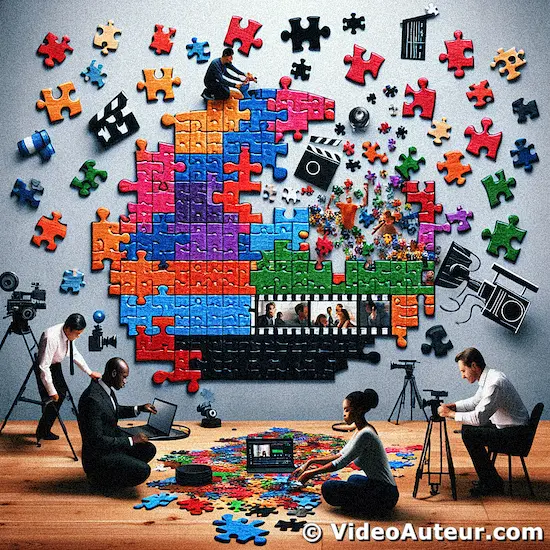
"Montage... is the assembly of pieces of film, which in their turn must create an emotion in an audience. That’s the whole art of the cinema, the montage of the pieces." -- Alfred Hitchcock
Editing a "concept-driven video"...
When editing a video based entirely on your ideas, most likely you have a script, a shot list, a storyboard. Or anything you used to plan your video. Refer to it, make it your guide.
You can start by building the intro part, progress to the middle, then tackle the ending.
Editing an "event-driven video"...
When editing a video based on an occasion or event, refer to the copy of the program proper you got. Or a picture of it that you took with your phone.
Don't have a copy or picture of the event's program proper to guide your editing? Relax.
You reviewed all your shots, right? If so, you have a big picture view of all materials available to you. Having this familiarity saves you time during editing.
Tip: Whether I have a copy of the program proper or not, I find it encouraging to start editing the easier parts. To me, they are usually in the middle portion of the event video I'm piecing together.
Doing this helps build momentum inside me, because when I'm done with the easier parts, I'm better motivated to tackle the challenging parts. Which are usually the ending and intro parts of the video.
The ending serves as the clincher or conclusion. The intro, the attention-getter or hook.
Enjoy:
Have fun editing your video. But make sure there's purpose for every element you include in the editing timeline.
The way I do it is I remind myself what this video about and who the intended viewers are. It guides my decision-making process.
So, I enjoy putting together the story in the video. But, at the same time, I'm careful about adding transitions, visual and sound effects, music, and other stylistic elements.
I ask myself, Do these elements have any purpose to get the audience to feel this specific video?
And speaking of music, make sure it adds to the intended mood or feel for your intended viewers.
Looking for some cool tunes for your videos? Check out royalty-free sites like Bensound, Audionautix, or even YouTube's Audio Library. Just remember, these sites might have different rules, so give their terms a quick look before you hit download.
How to make creative videos: 5. Export and share your video.
Use the MP4 format with H.264 codec and 1080p resolution at 30fps.
The key choice is aspect ratio: select 9:16 for vertical Shorts or 16:9 for standard widescreen video.
Once exported, upload directly to social media or share the file privately with your intended audience.
Done editing? Time to produce your video based on length and content type you determined during the planning stage.
Exporting your video can seem tricky, but there are really just two main setups to remember:
For "shorts" -- or short-form videos (1 minute, 30 seconds, or 15 seconds)...
- ratio: 9:16 (vertical video, or the look of your phone when you're typically holding it)
- resolution: 1080p (or at least 720p)
- frame rate: 30 fps
- format: mp4
- codec: H.264
For videos that are "slightly longer" (more than 1 minute, but not the length of a movie)...
- ratio: 16:9 (wide screen)
- resolution: 1080p (or higher depending on your source file)
- frame rate: 30 fps (or higher, like 60 fps, if the source video was shot at that frame rate)
- format: mp4
- codec: H.264
--
Done producing your video? Time to share it with your intended viewers.
If the video is only intended for a specific group of people, make sure they get the video file you exported.
If you intend to share the video on social media, hit that upload button. Let the world see your creative vision and expression.
How to make creative videos: Creative thinking methods I use and a sample video
Start by seeing through your viewers' eyes to determine the emotional experience they want.
Then, outline the big-picture structure, remain open to filming unplanned, non-obvious connections, and trust your gut during editing.
The sample wedding trailer proves you can achieve emotional impact even with simple, limited gear.
We've learned the steps on how to make creative videos. Now, let's take a closer look at some simple thought processes that can help us make creative videos.
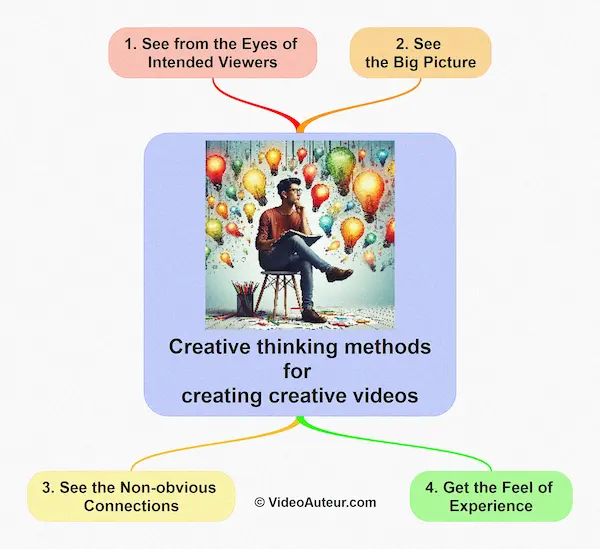 How to make creative videos: Here’s a tip - adopt these simple thought processes.
Creative thinking method #1: See from the Eyes of Intended Viewers
To use this method, shift focus from what you want to film to what your audience needs to feel.
Ask: What emotional takeaway or specific information matters most to them?
Shape every shot and cut to serve that desired reaction, just as the wedding trailer was tailored to highlight the couple's tender, sincere personalities.
Your intended viewers are the persons who'll watch your video.
The first thing I do when I plan a video is forget my own preconceived notions about it... and try to look at it from their perspectives.
- What is important to them? What do they want to be included in the video?
- What kind of viewing experience do they want? Emotionally-moved? Informed?
Let's say I'll make a short wedding trailer for my client -- a couple. They are my intended viewers.
This trailer is not yet the wedding video that they paid me to do. I just want to share something with them on social media... a glimpse of what they can expect from the video.
Real Life Example
Now, let's take a real life example. We have Ayie and Rona, the groom and the bride.

Based on my impressions of their personalities, I noticed that Ayie is the sincere type who's not afraid to show his tender feelings.
And Rona is the quiet type but she appreciates seeing the vulnerable side of her groom.
I figured that Ayie and Rona wanted to see an "emotionally moving video". So, I made this wedding trailer for them this way...

Note: I made this video back in the days of the DSLR revolution. There's nothing fancy about how the video looks. It's just a simple video that the couple felt emotionally moving.
I shot it using very limited gear and the DSLR I used didn't have auto focus technology.
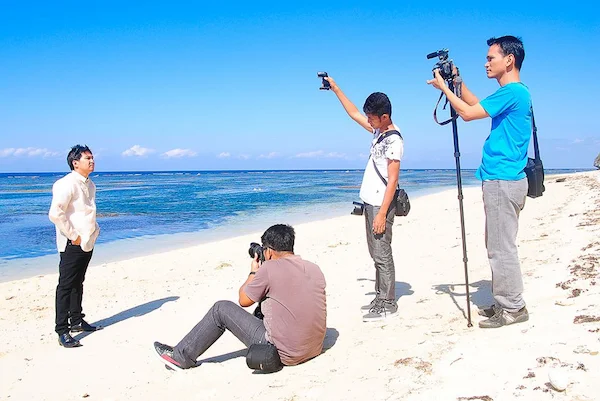 A behind-the-scenes photo of me filming Ayie the groom with a DSLR camera, a mini shotgun mic, and a monopod. Photo of me by Ting Cunanan.
The look of the video is straight-out-of-the-camera -- no color grading. I use this short video as an example to show that even with limited resources, you can still make a creative video.
Creative thinking method #2: See the Big Picture
Seeing the big picture means stepping back to view your video like a map, not just individual clips.
Outline the major sections or "parts" your intended viewer needs to experience first.
Then, arrange those parts into a simple, engaging sequence that creates a cohesive whole rather than a random collection of shots.
After knowing my intended viewers and their wanted viewing experience, I try to see the "big picture" of the video that I have in mind.
To me, the "big picture" is like a map. Looking at it also allows me to see the parts of that whole.
So, I take a step back to see what parts could be included into the whole video. I also try to figure out how I could arrange those parts in a way that my intended viewers would find engaging.
Real Life Example
Using our sample video, my intent was to let the couple know that their wedding video was "coming soon". So, I decided that the following major "parts" could go into the "whole" trailer video...
- 00:00--00:13 - A sense of place (Seaside).
- 00:14--00:20 - The groom (Ayie at the seashore).
- 00:21--00:34 - The bride (Rona dressed up and happy).
- 00:35--01:03 - Inside the church (Ayie, teary-eyed... Rona, marching down the aisle).
- 01:04--01:46 - The couple (In different places). Plus, titles (telling us that this is a trailer).
- 01:47--01:58 - Fun closing (A different feel compared to the preceding shots).
- Instrumental guitar music throughout except the closing. (Music by audionautix.com).
... And I chose these elements because I felt these are what Ayie and Rona wanted to see in a wedding trailer about them.
Creative thinking method #3: See the Non-Obvious Connections
To see non-obvious connections, stay open to impulse shots beyond your plan.
That random detail or unexpected moment you film -- a texture, a sound, a passing glance -- can become the perfect visual metaphor or bridge between scenes later.
Let your subconscious guide the lens; your timeline will thank you.
You begin to notice the “non-obvious” connections between things when you...
- relax yourself
- keep an open mind
- keep an open heart
- keep your eyes open.
In psychology, they call it "free association". In video production (and film making), I simply call it "being open".
I use this creative thinking method both when shooting and editing videos.
For instance...
I may have a sense of the "big picture" outline of the video I have in mind. And I know it would guide me when filming. But, when I'm in the field ready to shoot videos...
I loosen up and let my impulses guide me as well.
In other words, I also shoot things that are NOT in the plan. I just happen to see them by chance and I am "open" enough to film them.
The result? Footage that doesn't belong to my shot list... if I have one ;-). But they turn out to be interesting materials during editing.
Real Life Example
Examples? Sure!
Let's go back to our humble wedding trailer and watch this part--01:41-01:46.
See the shot of the beach sunset and the quick time-lapse video of the sea waves? I shot them on location the day before the wedding. It just felt right to do it although the shots may not be obviously connected to wedding.
However, I didn't expect that I could use them as the background for the title "Coming Soon". Also, those shots are related to my opening shots--the seaside (00:00-00:13). They all give my intended viewers a sense of place.
So...
Listening to your subconscious impulses, when shooting and editing, will help you make a creative video.
Creative thinking method #4: Get the Feel of Experience
Trust your instincts about flow and rhythm while previewing edits.
Ask if the pacing, cuts, and transitions "feel right" in the moment.
Since you share your intended audience's perspective, an edit that feels naturally engaging to you will likely resonate with them too.
Now, this one is about what you actually see, hear, and feel as you preview your video during editing. The flow of all the elements that you're assembling.
At this point, the important question you need to ask is...
"Does it feel right?"
The pacing? The cutting? The transitions? The ideas conveyed by the sequence of shots... The whole experience of watching the video from moment to moment?
Here's the thing...
If the whole experience of watching your video, feels right to you from moment to moment, most likely, it would also feel right to your "intended" viewers.
Again, your "intended" viewers that you considered from the very beginning of your creative and production efforts.
Real Life Example
Using our sample video (and if you watch closely), you may notice that I cut to the rhythm and beat of the song that I used for the trailer.
Also, the transition from the shot of Ayie to the shot of Rona (00:17-00:24) just "feels right".
Were my intended viewers engaged?
Yes, absolutely.
The Facebook comments prove strong engagement.
Viewers explicitly said they were "happy," "teary eyed," and "can't wait" for more, confirming the trailer created a powerful emotional connection with the intended audience.
This kind of specific, heartfelt feedback is exactly what you want to see as a beginner.
How did my intended viewers feel about the wedding trailer? Were they engaged?
Perhaps you'll find out! ;-)
Take a look at these Facebook comments. I also uploaded that same video on Facebook and here's the feedback from the audience (with corresponding translations as needed)...

2ND COMMENT - Ayie Miguel: "I'm so happy, Bro!"
3RD COMMENT - Ayie Miguel: "I want to see more, Bro!"
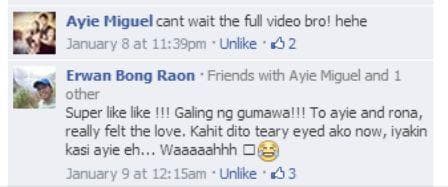
2ND COMMENT - Erwan Bong Raon: "Super like! The person who made this is amazing. To Ayie and Rona, I really felt the love. Watching this now makes me teary eyed, because Ayie tends to cry easily... Waaaaahhh. ;-("

Ma Rowena R. Enojo: "Beautiful teaser... You can really feel what's happening... The couple are like movie stars as well... Good job to Alvin Motilla and to the group... Highly recommended."
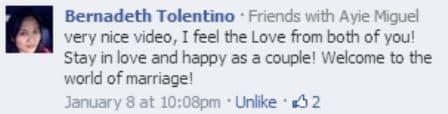

Joanna Cris Agbulos Agosto: "Can't wait to watch the full video. Beautiful wedding, so moving! Hehe, thanks to the photographers. You're super patient and have done well! This was a dream came true for my sister. God bless you."
FAQs: How to Make Creative Videos (For Beginners and Self-Learners)
What is the purpose of a creative video?
What is the purpose of a creative video?
A creative video grabs the viewer’s attention and keeps them engaged, using storytelling and visuals to communicate a message, idea, or just entertain.
Creative videos can help you express yourself, promote something, teach, or simply connect with others in a memorable way.
How to make video content for beginners?
How to make video content for beginners?
Start simple!
- Pick a topic that excites you and might interest your audience.
- Plan your video by jotting down the main points or creating a short script.
- Use your smartphone or a basic camera—just make sure your recording space is quiet and well-lit.
- After filming, edit your video using beginner-friendly software like iMovie, CapCut, or Animoto.
- When you’re ready, share it on platforms like YouTube or social media, paying attention to a catchy title and thumbnail.
What's the basic creative process for making a video?
What's the basic creative process for making a video?
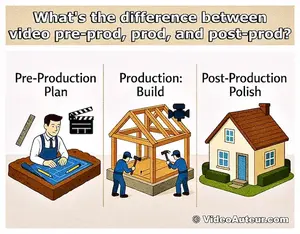
- Pre-production: Plan your idea, write a short script, and gather materials.
- Production: Film your video, paying attention to lighting and sound.
- Post-production: Edit footage, add music, and polish the final piece.
- Publishing: Upload your video online, share it, and analyze feedback for future improvement.
How should I design my video for maximum impact?
How should I design my video for maximum impact?
- Tell a clear, simple story.
- Focus on strong visuals and clean audio.
- Use lighting and color to set the mood.
- Open with something eye-catching.
- Keep your message focused and avoid clutter.
- Consider where your video will be seen (YouTube, Instagram, TikTok), and tailor your format to match.
How to create a good / effective video?
How to create a good / effective video?
- Start with a plan or outline.
- Focus on crisp visuals and clear sound.
- Keep your shots steady and frame your subject thoughtfully.
- Edit purposefully—trim unnecessary parts and add useful captions or music.
- End with a call to action or summary to reinforce your message.
How can I make my videos more interesting, attractive, and attention-grabbing?
How can I make my videos more interesting, attractive, and attention-grabbing?
- Tell stories that connect emotionally.
- Use a bold opening shot or surprising visuals.
- Play with color and lighting to add interest.
- Inject your personality and enthusiasm.
- Change camera angles and use pattern interruptions to surprise your audience.
How to make a good video with just my phone?
How to make a good video with just my phone?
- Use landscape orientation (unless shooting for vertical platforms).
- Shoot in a well-lit area (natural light works great).
- Keep your phone steady—use both hands or a tripod.
- Frame your subject using the rule of thirds.
- Edit using mobile apps like VN Video Editor, CapCut, or iMovie.
- Don’t worry about expensive equipment; practice and creativity matter most;
How to make a creative video about yourself?
How to make a creative video about yourself?
- Tell your personal story—what makes you unique?
- Use clips from your daily life, hobbies, or passions.
- Show yourself “in action” and narrate the process.
- Use visual aids, photos, or graphics to highlight your points.
- Keep it natural—let your personality shine through.
How do I create videos that keep people watching until the end?
How do I create videos that keep people watching until the end?
- Start strong: Hook viewers within the first few seconds.
- Move at a good pace—avoid dragging or repeating yourself.
- Add visual or audio surprises to re-capture attention.
- Use storytelling: Make viewers want to see what happens next.
- End with a solid conclusion or call to action.
How to hook viewers quickly (especially on YouTube)?
How to hook viewers quickly (especially on YouTube)?
- Begin with an intriguing question, bold statement, or eye-catching image.
- Show what viewers will get out of your video right away.
- Use fast cuts, graphics, or energetic music to grab attention.
- Keep your intro short and make sure it matches your video’s topic.
How to make amazing videos for social media platforms?
How to make amazing videos for social media platforms?
- Shoot vertically for TikTok, Reels, or YouTube Shorts; otherwise, use landscape.
- Keep videos short, fun, and visually bold.
- Use trending sounds, stickers, or filters to boost engagement.
- Add captions for viewers who watch without sound.
- Focus on relatable or entertaining content—show behind-the-scenes, quick how-tos, or funny moments.
How to be creative as a YouTuber?
How to be creative as a YouTuber?
- Try new styles, trends, or formats.
- Collaborate with others to get fresh ideas.
- Take risks: Experiment with topics and video effects.
- Listen to feedback from viewers, and don’t be afraid to put your own spin on popular ideas.
How do I make my videos searchable and find the right audience?
How do I make my videos searchable and find the right audience?
- Use clear, descriptive titles and tags with keywords people are searching for.
- Write a helpful description explaining what your video is about.
- Create custom thumbnails that stand out.
- Share your videos on relevant platforms and communities.
How can I get more people to view my videos?
How can I get more people to view my videos?
- Promote your videos on social media, blogs, and among friends.
- Be consistent—upload regularly so viewers know when to expect new content.
- Engage with your audience by replying to comments.
- Collaborate with others to cross-promote.
- Use eye-catching titles, thumbnails, and share in groups interested in your topic.
Conclusion: How to make creative videos
Creative video-making isn’t about chasing the latest gadgets or mastering complex techniques -- it’s about intentional storytelling.
By starting with a clear purpose, understanding your audience, and embracing the tools you already have, you can craft videos that resonate deeply.
Whether you’re scripting a concept-driven project or capturing the spontaneity of an event, creativity thrives when you blend preparation with openness to unexpected moments.
Remember, even the simplest videos can leave lasting impressions when they evoke emotion or spark curiosity.
So, pick up your camera, trust your instincts, and let your unique perspective shine through. After all, the best stories are the ones only you can tell.
--
What story will your next video bring to life?
Feeling nervous about filming alone?
Ready to make your own videos?
You might like these
How to Become a Videographer: Complete Beginner's Guide
How to Become a Videographer without expensive gear. Master storytelling, camera basics, audio, editing, and find clients -- complete beginner's guide.
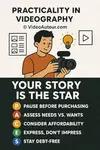
Practicality in Videography: Great Videos. Zero Debt
Practicality in Videography means prioritizing your story over expensive gear. Learn how to create amazing videos without debt using the P.A.C.E.S. approach.
What Is an Auteur? Find Your Unique Creative Voice
What Is an Auteur? It's your inner creative voice. Learn how to unleash it through self-discovery, studying inspiring creators, and consistent practice.









Alvin Motilla is the creator of VideoAuteur.com, where he helps everyday people make videos that truly connect with audiences. With over 20 years of experience spanning scriptwriting, documentaries, corporate, and freelance video production, he champions the human side of creation over gear obsession. A graduate of AB Mass Communication, he believes that showing up with heart matters more than owning expensive equipment. Off-screen, Alvin enjoys biking with his wife and daughter, staying active, and studying Scripture.

Get Your Free Cheat Sheet
The Most Common Video Mistakes (and How to Fix Them)

Sign up to download it instantly. You’ll also get tips, step-by-step guidance, and gear guides to make video creation simple.
What's New


-
What is B-roll and why does my video need it? A Guide
 Wondering what is B-roll and why does your video need it? This guide reveals simple tips to add visual variety, hide edits, and keep viewers watching longer.
 -
What is the Rule of Thirds in Digital Composition? Visual Guide
 What is the Rule of Thirds in digital composition? A visual guide to placing subjects on power points for better storytelling. Learn how to use the grid.
 -
What is Digital Video Production? A Beginner's Complete Guide
 What is digital video production? Learn the basics, tools, and step-by-step process to create videos—from concept to sharing. Perfect for beginners!
Get Your Free Cheat Sheet
The Most Common Video Mistakes (and How to Fix Them)

Sign up to download it instantly. You’ll also get tips, step-by-step guidance, and gear guides to make video creation simple.
Copyright © 2014- VideoAuteur.com All rights reserved
This website does not sell any personal information.
Get Your Free Cheat Sheet
The Most Common Video Mistakes (and How to Fix Them)
Sign up to download it instantly. You’ll also get tips, step-by-step guidance, and gear guides to make video creation simple.